
Desktop GIS to cloud · Hosted service · Open-source plugin
axis-migrate. Your desktop GIS work, running on the cloud, with the same answers as before.
Get your GIS work off one analyst’s desktop and onto the cloud your organisation already uses. It runs on a schedule, for any area, with every run logged, and anyone on the team can run it. Every output is checked against the original and shown on a map, so you know it still gives the same answers. We do the move with you as a hosted service, or you run the open-source plugin yourself in Claude Code or Codex.
Why move off the desktop
A lot of GIS work still runs on one analyst’s machine. It works until someone has to run it for a new area, on a schedule, or after that analyst leaves. Desktop licences are paid per seat, and there is no run log or version history.
Meanwhile the rest of the organisation already keeps its data on Databricks, Snowflake or a cloud provider. We don’t sell another platform. We rebuild the workflow on the one you already chose.
We move it with you
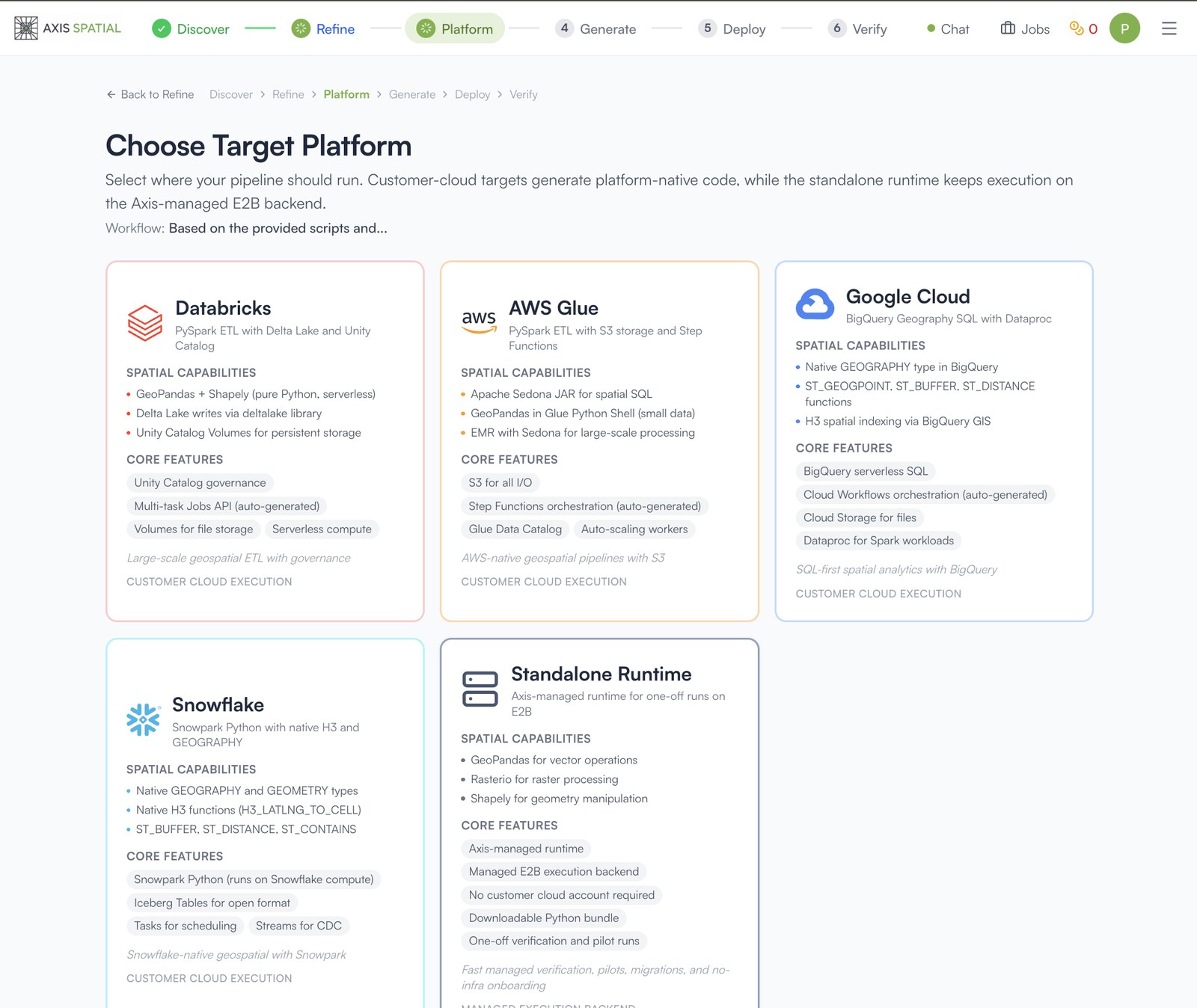
Our hosted service runs the migration with your team, in six stages: discover, refine, platform, generate, deploy and verify. Agents scan the project folder and draw the workflow. Your analyst answers what the files cannot, and approves the workflow once.
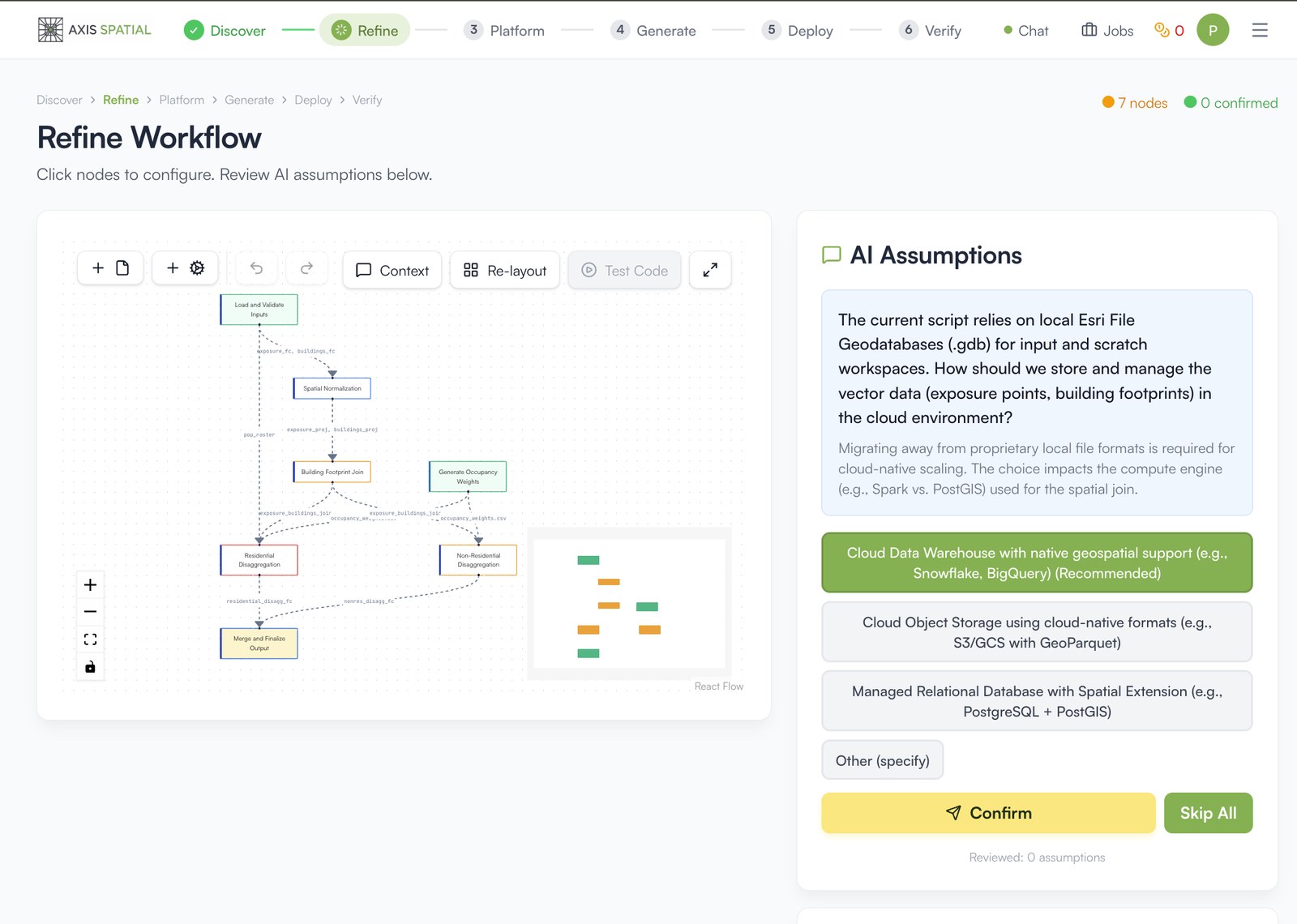
Then you pick the cloud. Agents write the code for that platform, deploy it and run it until it works, then compare every output with the old one. We stay until your team runs it day to day.
Or move it yourself
The same method is free and open source, as a plugin for Claude Code and Codex. Your files stay on your machine, and your own Claude or Codex plan runs the model. It writes a Python pipeline, a report comparing every output with the original, and a Databricks bundle checked with a dry run. It never deploys anything itself.
See the result on a map
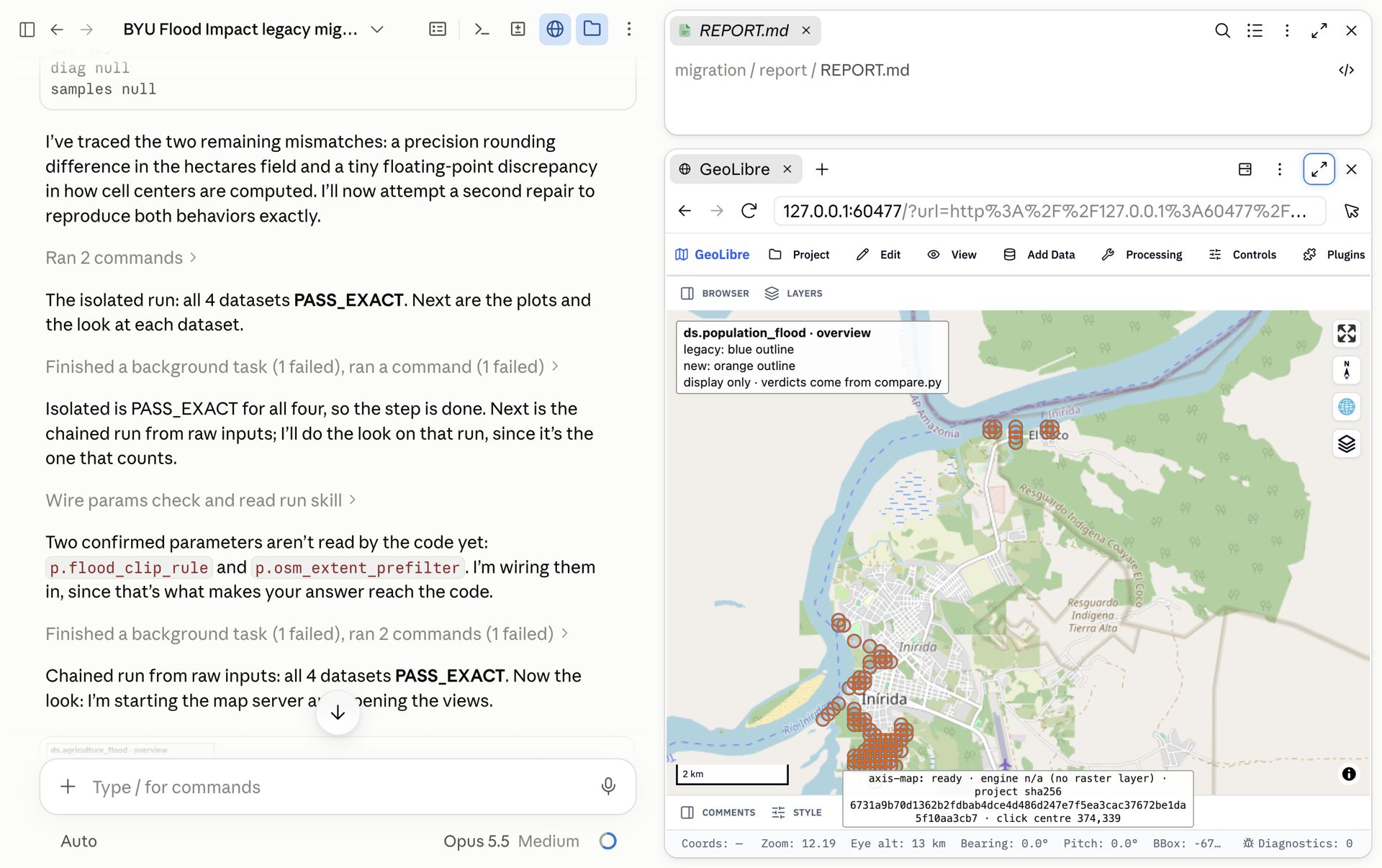
Every output comes with a map. The plugin opens it beside the chat, with the legacy result in blue and the new one in orange over a basemap. You see where the result sits and where it differs. The map is for you to look at; the verdict still comes from the comparison script.
Same answers on a real project
We tested the plugin on a public BYU teaching project: flood impact on crops, population and amenities in Inírida, Colombia, built as a QGIS model. 4 of 4 outputs matched the QGIS originals exactly in each of four runs, and the legacy folder was not changed. A later run on a Windows laptop matched 4 of 4 again.
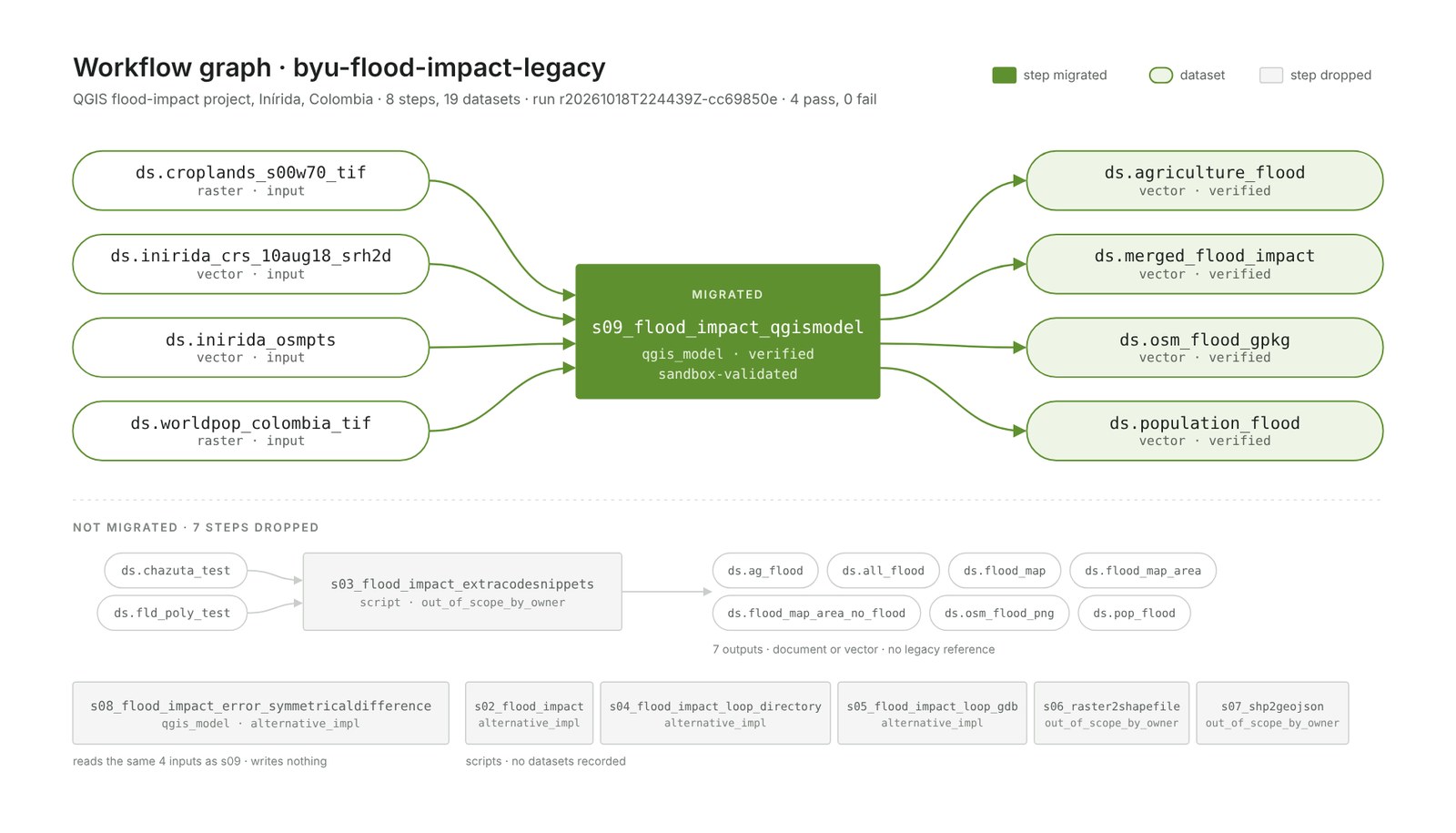
On the way, the comparison found that QGIS rounds population where the project’s own Python script truncates: 8,267 people against 8,222 from the same cells.
Limits today
- The plugin is tested end to end on QGIS models and Python scripts. ArcGIS Pro projects are only partly read.
- The plugin’s cloud step is a Databricks bundle checked by a dry run. Other clouds, and the deployment itself, are the hosted service.
- On Mac and Windows the plugin’s status stops one step short of verified, because proving which files were read needs Linux.
Available today
The plugin is free under Apache-2.0. In Claude Code:
/plugin marketplace add najahpokkiri/axis-migrate
/plugin install axis-migrate@axis-migrate-dev
Codex instructions are in the repository. For the hosted service, tell us about the workflow you want to move.
Start here
Tell us about your project.
Tell us how the work is done today, which data and software it uses, and what your team needs.