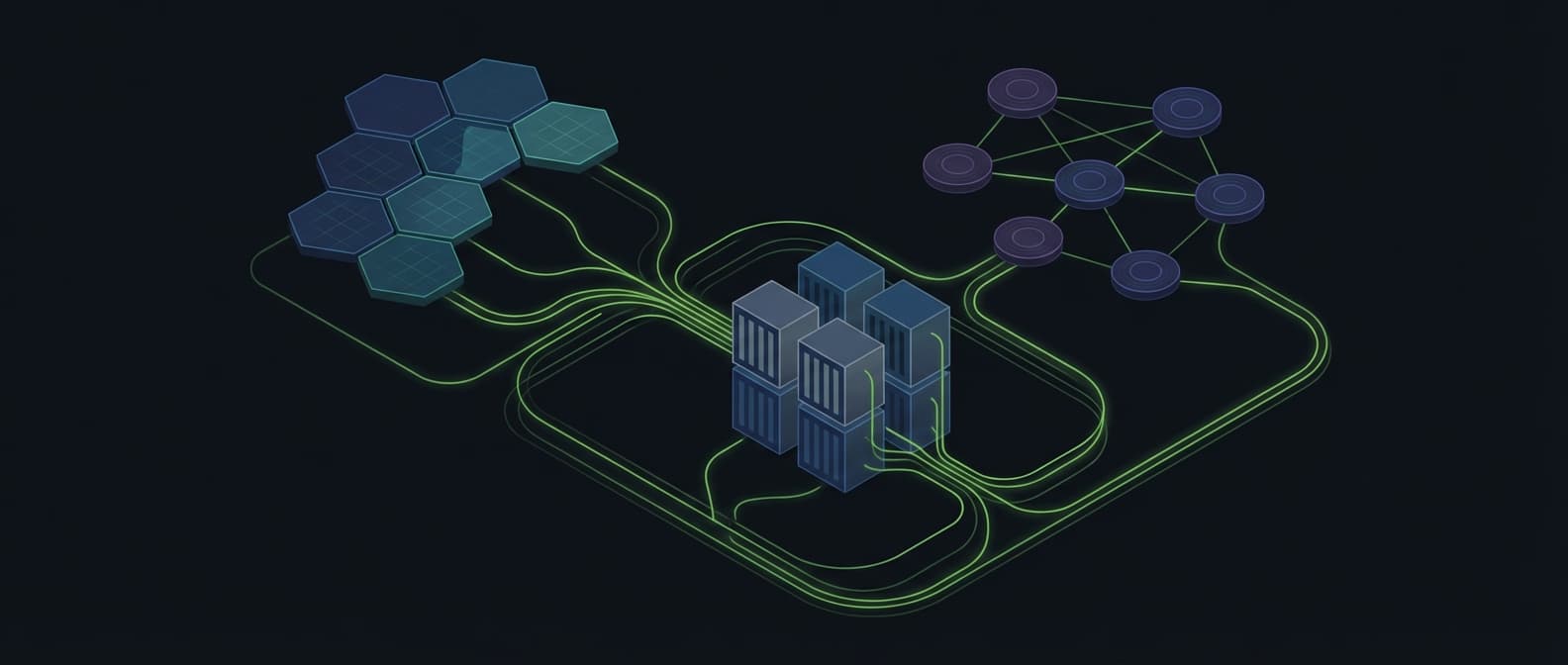
- AWS Glue is the orchestrator: visual ETL for spatial data transforms, Spark-based ETL for heavy lifting with Sedona support, and Python Shell for lightweight scripts. Start here
- S3 and Cloud-Optimized GeoTIFF can support partial object access when the file layout, reader, and request pattern fit
- Athena can query supported geospatial data on S3, but scan volume, file layout, region, and pricing model require a current check
- Lambda and Step Functions can support event-driven workflows; timeout, packaging, memory, and cold-start behaviour must be tested for the target operation
AWS provides many general-purpose services rather than one managed geospatial product. This retained note reviews a possible stack using Lambda, S3, Athena, and Step Functions.
The trade-off is control against engineering and operating effort. This note records common design questions, timeout and storage boundaries, and failure modes. It is not a current client result or a production guarantee.
Geospatial in Cloud Series
This is Part 2 of our Geospatial in Cloud series. Each post is self-contained. Part 1 covers Databricks. Part 3 covers GCP. Part 4 covers Snowflake. Read the one that matches your stack.
AWS Geospatial Services
AWS offers several services that can participate in a geospatial workflow. Select the smallest set that fits the data, operation, trigger, validation, and ownership model.
| SERVICE | GEOSPATIAL USE | WHEN TO USE |
|---|---|---|
| Glue | ETL orchestration (visual ETL, Spark ETL, Python Shell) | Primary orchestrator for spatial data pipelines |
| S3 | Storage (COG, GeoParquet, STAC catalogues) | Always - primary storage layer |
| Lambda | Serverless processing (raster tiles, vector transforms) | Event-driven, small-to-medium payloads |
| Athena | Spatial SQL on S3 data (GeoParquet) | Ad-hoc queries, no infrastructure needed |
| Step Functions | Pipeline orchestration | Multi-step workflows, coordinating Glue + Lambda |
| ECS/Fargate | Container-based processing | Heavy processing, long-running jobs |
| EMR (Spark) | Large-scale distributed processing | Larger data, when Glue Spark is insufficient |
| SageMaker | ML on geospatial data | Satellite imagery classification |
KEY INSIGHT: KEEP IT SIMPLE
A possible starting set is Glue + S3 + Lambda + Athena + Step Functions. The target data, operation, trigger, validation, ownership, and service limits may require a different boundary. Test the smallest design that can meet those requirements.
Glue: The Orchestrator
AWS Glue is where most geospatial pipelines should start. It comes in three flavours, each suited to a different scale of spatial workload. Python Shell for small data (under 1GB) - think geocoding a CSV or buffering a few thousand parcels. Spark ETL for heavy lifting - spatial joins on millions of features using Apache Sedona. And Visual ETL for drag-and-drop data transforms when your team includes analysts who do not write code.
The critical distinction: Glue Python Shell is single-node (max 1 DPU, 16GB memory). For anything involving spatial joins at scale, distributed raster processing, or datasets exceeding a few gigabytes, you need Glue Spark ETL. This is where Sedona comes in - Glue 4.0 supports Sedona natively, giving you distributed spatial SQL across a managed Spark cluster without provisioning a single server.
| GLUE FLAVOUR | WORKER TYPE | MEMORY | GEOSPATIAL USE |
|---|---|---|---|
| Python Shell | G.1X (max 1 DPU) | 16 GB | Small vector ops with GeoPandas. Geocoding, buffering, format conversion |
| Spark ETL | G.2X | 32 GB | Distributed spatial joins, Sedona SQL, millions of features |
| Spark ETL | G.4X | 64 GB | Windowed raster processing, large COG operations |
| Spark ETL | G.8X | 128 GB | GPU-accelerated ML + raster combined workloads |
Sedona on Glue requires Spark ETL, not Python Shell. This is the single most common mistake we see in production. Teams set up a Python Shell job, try to import Sedona, and get cryptic import errors. Python Shell does not run Spark. For Sedona spatial SQL, you need a Spark ETL job with the Sedona JAR as a dependency.
Glue jobs install Python dependencies via the --additional-python-modules flag - comma-separated package names like geopandas, shapely, fiona, rasterio. For Sedona on Glue 4.0, the Spark JARs are pre-installed - you only need --additional-python-modules: apache-sedona for the Python API. On older Glue versions, use --extra-jars with S3 URIs pointing to JARs you have uploaded. A critical lesson from production: passing Maven coordinates instead of S3 URIs to --extra-jars causes a URISyntaxException that tells you nothing useful about the actual problem.
PRODUCTION WARNING: S3 IS NOT A FILESYSTEM
S3 is object storage. It does not support the seek operations that GDAL needs for writing GeoTIFFs or that SQLite needs for GeoPackage. The fix is the same two-stage write pattern used on Databricks Volumes: write to the local /tmp on the Glue worker, then upload the finished file to S3. Attempting to write directly to S3 paths fails silently or produces corrupt output. Every GIS library that does random I/O (rasterio, fiona, SQLite/GeoPackage) hits this.
Code structure Glue expects: a main.py entry point (the ScriptLocation) that imports flat step modules listed in --extra-py-files as S3 URIs. No package hierarchy - Glue cannot resolve nested imports. The main.py initialises GlueContext and Sedona, parses runtime arguments via getResolvedOptions, then calls each step in sequence. This is fundamentally different from how local Python projects are structured, and it is the gap that causes most deployment failures when migrating from desktop ArcPy to cloud Glue.
TWO TRAPS THAT WASTE HOURS
Path() does not work with S3. Python's Path("s3://bucket/file").exists() silently returns False on S3 paths - even when the file exists. Use boto3's head_object for existence checks. Also: Glue ignores requirements.txt entirely. All dependencies must go through --additional-python-modules.
IAM role propagation takes 10-15 seconds. Creating a new IAM role and immediately starting a Glue job with it causes a cross-account pass role error. Add a propagation wait after role creation, or your CI/CD pipeline will fail intermittently on first deployment.
Glue replaces three legacy tools simultaneously: FME for ETL transforms (Glue + Sedona covers the same spatial operations), scheduled ArcPy scripts (Glue jobs with EventBridge cron triggers), and file geodatabase management (GeoParquet on S3 with Glue Data Catalog for schema discovery). The Glue Data Catalog acts as a metadata layer that makes your S3 data queryable from Athena without any additional infrastructure.
Lambda for Processing
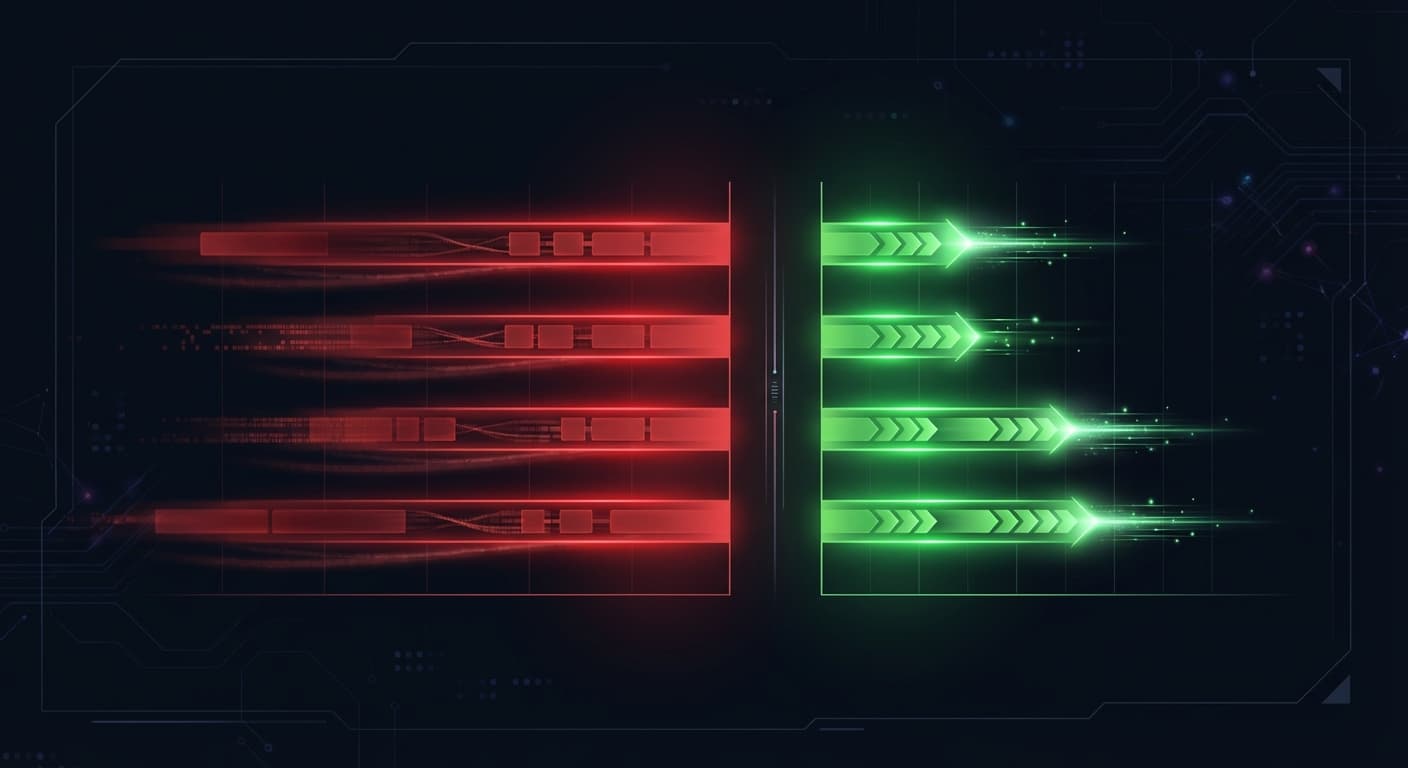
Startup behaviour is a workflow boundary. GDAL, Rasterio, NumPy, packaging, memory, concurrency, region, and request size all affect Lambda behaviour. AWS documents a configurable invocation timeout up to 15 minutes. Test a realistic operation before using Lambda for a latency-sensitive path.
RETAINED STARTUP ILLUSTRATION
Historical illustration; record the runtime, memory, region, and concurrency.
Warm invocation time is not a portable result. Decide whether provisioned concurrency, an asynchronous job, or a different compute boundary fits the target latency and cost model. Recheck current AWS pricing before making that choice.
One possible pattern is an S3 event that passes a bucket and key to Lambda. The function can open a COG through GDAL, read a window, and write a validated result. Range requests reduce transfer only when the file layout, reader, storage request, and access pattern support them. Record the input, output, failure, and retry behaviour.
Deployment tip: choose the package boundary from current limits. GDAL, rasterio, and NumPy may not fit a zip-layer design or the target runtime limits. Compare a container image, layer, or separate job using the current AWS limits, base image maintenance, security review, startup behaviour, and rollback plan.
S3 + COG Storage
Why COG can matter on S3: internal tiling and overviews can support HTTP range requests for selected regions. The benefit depends on the object layout, reader, network, query, and output checks. The retained timing examples below are not current benchmarks.
Storage cost depends on region, class, requests, retrieval, transfer, retention, and account pricing. Recheck current AWS pricing and model the target catalogue before using a cost comparison.
A windowed read can cause GDAL to issue range requests against S3. It may read only the internal tiles that overlap the window. Validate this with the target COG, region, network, reader, and output; without suitable tiling and overviews, the transfer pattern can be different.
S3 layout convention matters for cost. Partition your data by date and region using Hive-style prefixes (raw/sentinel-2/year=2024/month=06/) so Athena and Glue crawlers skip irrelevant files. Store processed outputs separately from raw inputs. GeoParquet may fit vector analytics, but choose it only after checking engine support, metadata, query shape, and validation requirements.
The STAC catalogue pattern ties this together: index your COGs on S3 with a STAC API. Query by date, bounding box, cloud cover - then access individual COGs directly via range requests. No database, no file server, just S3 + metadata.
For detail on COG, GeoParquet, and STAC formats, see our cloud-native geospatial formats guide.
Athena Spatial SQL
Athena lets you query GeoParquet data directly on S3 with standard SQL. No database to manage, no infrastructure to provision. Point Athena at an S3 bucket, define an external table via Glue Data Catalog, and query.
CRITICAL: ATHENA HAS NO NATIVE ST_ FUNCTIONS
Unlike BigQuery or Snowflake, Athena does not have native spatial functions like ST_Contains or ST_Distance. You cannot write geometry-based spatial predicates in Athena SQL. The pattern that works: pre-compute H3 indices in your GeoParquet files (via Glue Spark ETL with Sedona) and use H3 cell lookups as your spatial filter in Athena. This is actually faster and cheaper than geometry-based queries - but it means your spatial indexing strategy must be designed at the data preparation stage, not at query time.
The workflow: Glue computes H3 indices and writes them as a column in your GeoParquet files. Athena queries filter by H3 cell values using simple equality or range predicates. No geometry comparison at query time, no spatial index to maintain. A query on "all parcels in Berlin" becomes a filter on H3 cells that intersect Berlin's boundary - computed once during data preparation, queried thousands of times in Athena.
Coordinate order warning: H3 functions expect (latitude, longitude) - the opposite of most GIS tools. If your H3 cells produce zero matches on data you know overlaps, check the axis order first. This is the same trap on Databricks Mosaic. On GCP (BigQuery), it is the reverse: ST_GEOGPOINT expects longitude first, latitude second. Every platform has its own convention.
Cost: $5 per TB of data scanned. With GeoParquet's columnar format, you typically scan 10-20% of the total data (only the columns you reference), so effective cost is $0.50-$1.00 per TB of actual data stored. For 100 queries a month on a 1TB dataset, that is roughly $5-10/month total.
PARTITION YOUR DATA
Athena charges per TB scanned. Partitioning your GeoParquet files by region or date means Athena skips irrelevant files entirely. A query on Berlin parcels should not scan data for Munich. Use Hive-style partitioning (s3://bucket/parcels/country=DE/state=BE/) and your costs drop by 80-90%.
The limitation: Athena is not a real-time database. Query execution takes 3-15 seconds depending on data volume and complexity. For sub-second spatial queries serving a web application, use PostGIS on RDS. Athena is for ad-hoc analysis and batch reporting.
Step Functions Pipelines
Geospatial workflows are rarely a single operation. Satellite imagery arrives, needs validation, conversion to COG, quality checks, and catalogue updates. Step Functions orchestrates this without you managing any servers - and it coordinates both Glue jobs and Lambda functions in the same pipeline.
A useful workflow pattern is to wait for the required job completion, pass object references rather than large inline payloads, set explicit timeouts, and record retry and parallel-branch behaviour. Check current service limits before adopting the pattern.
An illustrative pipeline - satellite imagery ingestion:
S3 Event: New Image Uploaded
S3 triggers the pipeline when a new GeoTIFF lands in the raw bucket. No polling, no cron jobs. Event-driven from the start.
Lambda 1: Validate and Extract Metadata
Check CRS, resolution, band count, and spatial extent. Reject malformed files before spending compute on processing. Extract metadata for the STAC catalogue.
Lambda 2: Generate COG Tiles
Convert raw GeoTIFF to Cloud Optimised GeoTIFF with internal tiling and overviews. This enables the range request pattern that makes serving tiles from S3 fast.
Lambda 3: Quality Checks
Verify the COG output: correct tile sizes, overview levels, spatial extent matches input. Catch processing errors before they propagate downstream.
Lambda 4: Update STAC Catalogue
Register the processed image in the STAC catalogue with metadata, thumbnail, and access links. The image is now discoverable and queryable.
PIPELINE COST PER IMAGE
The original per-image number is not a current price model. Build a dated model from the target image size, requests, compute settings, storage, orchestration, retries, region, and retention before estimating an ingestion pipeline.
Retained Benchmark Illustration
The original article retained a workload comparison with a named region, memory setting, storage class, timings, and costs. Those values are historical illustrations. A current run record must include the data, region, package, memory, storage class, query, and verifier.
AWS GEOSPATIAL - RETAINED ILLUSTRATION
Cost Analysis
AWS cost depends on the architecture, region, storage class, requests, data scanned, compute settings, and engineering ownership. The retained comparison below is an illustration, not a current price model.
ESRI STACK
MONTHLY TOTAL
Model required
scope and source required
AWS STACK
MONTHLY TOTAL
Model required
scope and source required
CAVEAT: ENGINEERING COST IS REAL
The retained comparison omits important variables such as region, support, labour, data transfer, storage class, retries, governance, and service changes. Build a dated model from current vendor sources before comparing AWS with a managed platform.
When NOT to Use AWS for Geospatial
AWS is not a universal fit. Review these boundaries before choosing the service set:
1. Your team does not have AWS experience
Lambda packaging, IAM roles, VPC networking, and S3 event triggers need an owner and a test plan. Confirm the team's skills and operating capacity before selecting a DIY service composition.
2. You need a managed geospatial platform
AWS does not have one. You assemble from primitives. If you want click-to-deploy geospatial with a GUI, vendor support, and documentation, consider ESRI on AWS or Databricks. The DIY approach requires genuine engineering investment.
3. Low-latency interactive queries
Athena is an analytical query service, not a general low-latency application database. For an interactive map or API, test the query path and compare a database or tile service that matches the latency and consistency requirement.
4. Large-scale raster analysis
Lambda has execution and resource limits. For heavy raster processing, compare ECS/Fargate, SageMaker Processing, or another batch boundary against the target data and job contract. Or consider Google Earth Engine which was built precisely for this workload.
5. You are already on Azure or GCP
Multi-cloud adds complexity with minimal benefit. If your organisation's primary cloud is Azure or GCP, use their native geospatial services. The architectural patterns in this post translate to any cloud - the specific services just have different names. Do not split your infrastructure for geospatial alone.
Reference Architecture
This is an illustrative architecture for a larger geospatial data workflow. It is not a current deployment claim. Validate each layer, permission, retry path, and output check.
1. DATA INGESTION
2. ETL + SPATIAL PROCESSING
3. ANALYSIS
4. PIPELINE ORCHESTRATION
5. SERVING
The STAC catalogue sits alongside this: a Lambda-backed API with DynamoDB storage that indexes all processed data. Users query the catalogue by bounding box, date range, or sensor type, then access individual COGs directly from S3 via range requests. Total infrastructure cost for the catalogue: under $10/month.
Frequently Asked Questions
Can AWS handle geospatial workloads?
Yes, but there is no single “AWS Geospatial” service. You combine S3 (storage), Lambda (processing), Athena (spatial SQL), and Step Functions (orchestration). This gives maximum flexibility but requires engineering effort to assemble. Most production geospatial workloads on AWS use only these four services.
What is the cold start time for Lambda with GDAL?
Startup and invocation time depend on packaging, memory, runtime, region, concurrency, and the operation. Use a realistic data size and request pattern to measure the target workflow. Provisioned concurrency can change the startup model, but it also requires a current pricing and capacity check.
How much does geospatial processing cost on AWS?
There is no single geospatial price. Model storage class, region, request volume, data scanned, compute configuration, orchestration, transfer, and retention from the current AWS pricing pages for the target workflow.
AWS gives you composable building blocks. The right choice depends on the workflow, operating model, evidence, and support boundary.
The retained cost and runtime examples are not current estimates. Build a dated model from the target data volume, query pattern, region, service tier, labour, and validation requirements before making an infrastructure decision.
The pattern is the same regardless of cloud: store data in cloud-native formats, process with serverless compute, query with spatial SQL, orchestrate with managed workflows. AWS just happens to give you the most granular control over each piece.