
- The March 2026 deadline framing is historical and requires current vendor confirmation
- Migration timing depends on network complexity, data quality, tooling, validation, and operational ownership
- Cost models must separate asset class, scope, region, licence, implementation, training, and support
- Possible paths include Utility Network, retained legacy capability, a hybrid plan, or an open alternative
The March 2026 deadline framing is historical. A current migration review must confirm the vendor position and assess network complexity, data quality, custom tooling, validation, training, and operational ownership.
A Dated 2026 Migration Note
The original article linked ArcMap and Geometric Network to a March 2026 retirement frame. That frame is now historical. Confirm current Esri support, product status, and available migration paths before using it in a plan.
WHAT THIS MEANS IN PRACTICE
- -Geometric Network data does not disappear, but it becomes read-only
- -The original article described legacy networks as having restricted editing, tracing, and analysis; confirm the current vendor position.
- -The original article described a support-risk scenario; confirm current support, security, and compatibility directly.
- -The original article presented migration as the main path; confirm current product options and network-analysis requirements.
The current decision is not a fixed deadline or an automatic migration. Confirm support, compatibility, network dependencies, rollback capability, and operational risk for the actual estate before setting a plan.
What Actually Changes: Geometric Network vs Utility Network
Utility Network is not just a renamed Geometric Network. The architecture is fundamentally different. Understanding these differences is critical to scoping your migration accurately.
| Capability | Geometric Network | Utility Network |
|---|---|---|
| Platform | ArcMap only | ArcGIS Pro + Enterprise |
| Network topology | Simple connectivity | Structure networks + domains |
| Subnetwork management | No | Yes (circuits, pressure zones) |
| Dirty areas tracking | No | Yes (incremental validation) |
| Asset group/type | Feature class based | Attribute-driven |
| Network rules | Connectivity only | Connectivity + attachment + containment |
| Tracing | Basic upstream/downstream | 13+ trace types |
THE REAL TAKE
Utility Network may fit networks that require its specific model and tracing capabilities. Compare those requirements with the current estate, alternatives, cost model, validation plan, and operating constraints before selecting a target.

Historical Planning Timeline
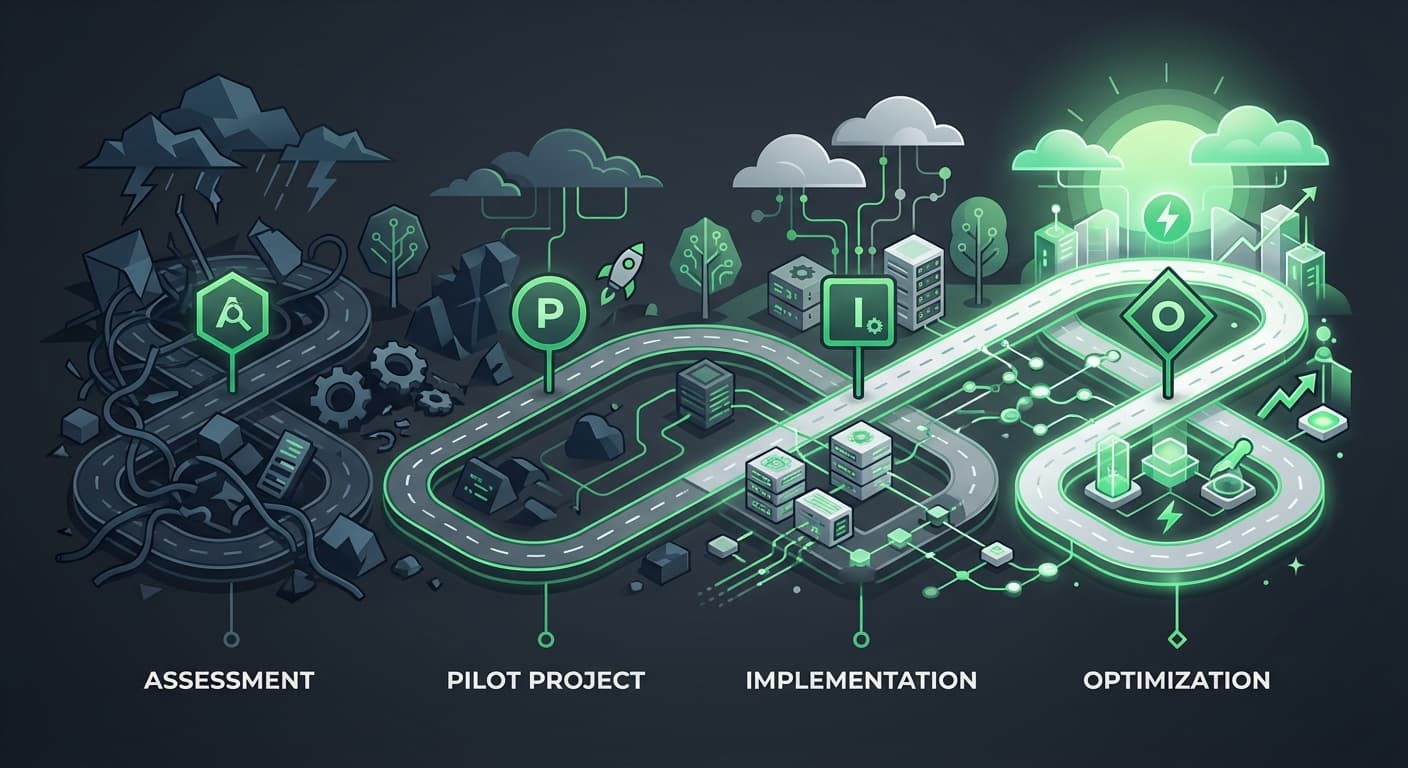
The original article compared a short vendor planning frame with a longer worked example. Those durations are retained historical illustrations. A current plan must use the actual network, data quality, custom tools, integrations, validation, procurement, and ownership.
HISTORICAL PLANNING PHASES
Assessment and Data Audit
4-8 weeksInventory Geometric Network feature classes, connectivity rules, custom tools, and third-party integrations. Data quality issues may surface during this review.
Data Model Design
4-6 weeksMap Geometric Network features to Utility Network asset groups and types. Define domain networks, tiers, subnetwork definitions. This requires deep domain knowledge - not just GIS skills.
Data Migration
6-12 weeksFeature migration, connectivity rebuilding, and rule configuration may require repeated migrate-test-fix cycles. Data quality issues should be recorded as validation findings.
Custom Tool Migration
4-8 weeksReview every ArcMap toolbar, custom ArcPy script, and ModelBuilder model that touches the network. Rewrite scope depends on compatibility, target runtime, and validation requirements.
Testing and Validation
4-6 weeksRun every trace, every analysis, every report against the new network. Compare results to Geometric Network outputs. Expect discrepancies - Utility Network traces differently.
Training and Rollout
2-4 weeksPlan training and rollout for affected crews, analysts, and managers. Measure workflow impact rather than assuming a fixed productivity change.
HISTORICAL TIMELINE SUMMARY
The retained duration ranges are historical examples, not a current forecast
If you are considering migrating custom ArcPy tools to open source as part of this transition, our ArcPy to GeoPandas translation guide covers the practical steps.
For a current migration review, start with the retained ArcPy migration note and test inventory, custom-tool boundaries, parallel validation, and human review against the actual estate. Migration Engine is in development.
What is the ArcGIS Utility Network migration deadline?
The March 2026 deadline framing is historical. Organisations should confirm current support, compatibility, risk, and migration options before changing a live utility workflow. Timing remains specific to the network, data, custom tools, validation plan, and operational constraints.
Historical Cost Categories
Asset class is one cost category. Network model complexity, data quality, custom tools, validation, training, support, infrastructure, contract, region, and operational ownership also matter. The retained ranges below are historical illustrations. For a separate licence discussion, see our retained Utility Network cost guide.
HISTORICAL COST ILLUSTRATION BY ASSET CLASS
Historical illustration only. Build a dated scope model for data, design, tools, testing, training, licensing, infrastructure, and support.
THE HIDDEN COST: CUSTOM TOOLS
Custom-tool effort depends on the number of tools, dependencies, target runtime, testing fixtures, and required approval. The retained duration and price ranges are historical planning examples; use current rates and scope before committing.
5 Common Migration Failures
These are the failure patterns we see repeatedly. Every one of them is avoidable with proper planning.
Data quality assumptions
"My Geometric Network is clean." It is not. Fifteen years of edits without topology validation means orphaned features, disconnected networks, and invalid geometries. Budget 20% of migration time for data cleanup alone.
Underestimating custom tools
Every Python script, ModelBuilder model, and third-party extension that touches the network needs a current compatibility and validation review. Custom-code effort is scope-dependent; no automatic migration outcome is implied.
Trace result differences
Utility Network traces use different algorithms. Results will differ from Geometric Network in edge cases. Field crews who have relied on traces for 10+ years will notice, and they will escalate. Plan for a reconciliation period.
Enterprise architecture gaps
Utility Network requires ArcGIS Enterprise with specific portal configuration. Many utilities running ArcGIS Server + Geometric Network do not have the required Enterprise stack. This is a separate infrastructure project on top of the data migration.
Change management failure
Analysts who have used Geometric Network for a long time may need workflow and training support. The original note retained a productivity range, but it is not a current forecast. Measure the actual impact during a controlled rollout.
Alternatives to Full Migration
Full Utility Network migration is not the only option. Depending on your situation, one of these alternatives may be more appropriate.
Full Utility Network Migration
Use a dated scope model
Scope-specific
Utilities needing subnetwork management, advanced tracing, long-term Esri commitment
Minimal Migration (Stay on Geometric Network)
Retaining a legacy workflow may reduce immediate change, but support, security, compatibility, and operational risk must be confirmed from the current vendor position.
Model current retention cost and risk
High and growing
Small utilities with simple networks and low budget
Open-Source Alternative (PostGIS + pgRouting)

Migrate network data to PostGIS, use pgRouting for network analysis. You lose Esri-specific features (dirty areas, subnetworks) but gain platform independence and eliminate licensing costs.
Dated implementation and support model
Lose Esri ecosystem, gain independence
Utilities questioning long-term Esri commitment
Hybrid (Automate Workflows, Migrate Later)
Review selected workflows first, then decide whether to defer full network migration. Do not assume an efficiency gain until the workflow is tested and validated.
Dated workflow-specific model
Scope-specific
Utilities needing immediate gains but not ready for full migration
When NOT to Migrate Yet
Not every utility should rush into this. Here are five scenarios where delaying or choosing an alternative path is the smarter decision.
Your delivery window is short and the plan is incomplete
A rushed migration can create more risk than a planned transition. Confirm the current support position, backup, validation, procurement, and rollback plan before committing to a date.
Your Geometric Network is your only source of truth
If the migration fails, you need rollback capability. Do not migrate without a tested backup and rollback plan. Verify your backups actually restore before starting.
Your team is already overloaded
Migration requires dedicated resources. Doing it "on the side" of regular work doubles the timeline and triples the risk of errors. Either free up people or wait until you can.
You are evaluating Esri alternatives
If a platform change is plausible, compare the dated scope, contracts, operating model, and transition options before making a large platform-specific investment. Include open and hybrid paths in the comparison.
Your network is simple
If the network is simple and does not require the target platform's specific capabilities, compare a scoped open-source or hybrid option. Do not reuse the retained asset or cost thresholds as a current recommendation.
Decision Framework
Use these three questions to determine your path forward.
QUESTION 1
Do you need subnetwork management (switching, isolation, pressure zones)?
Utility Network may fit if its subnetwork capabilities match the current requirement. Compare the target model with documented alternatives and validation needs.
Consider PostGIS + pgRouting. Basic network tracing does not require Esri's full stack.
QUESTION 2
What is your current licence and operating-cost model?
Do not infer ROI or payback from spend alone. Build a dated scope model with licence, implementation, validation, training, support, and operating costs.
Run the same dated comparison at any spend level. Open-source, retained capability, and hybrid options may fit different requirements.
QUESTION 3
What delivery window and dependencies apply to your estate?
Start with current discovery. The assessment duration and any cost effect depend on data quality, tooling, procurement, validation, and ownership.
Use a staged or minimal path only after documenting support, backup, rollback, validation, and operational constraints.
Frequently Asked Questions
When does ArcGIS Geometric Network retire?
The March 2026 retirement framing is historical. Confirm current Esri support, product status, and compatibility before acting.
How long does Utility Network migration take?
Timing depends on the network, data quality, target model, custom tooling, validation, training, procurement, and operational ownership. The retained durations are historical planning examples, not a current forecast.
How much does Utility Network migration cost?
Cost depends on asset class, network complexity, data remediation, model design, custom tooling, licensing, infrastructure, training, support, and region. Use a dated scope-specific model rather than the retained ranges.
Do I have to migrate to Utility Network?
No. You have alternatives: continue running ArcMap unsupported (increasing risk), migrate to open-source (PostGIS + pgRouting), or take a hybrid approach (automate workflows first, migrate later). The right choice depends on your network complexity and long-term platform strategy.
What is the ArcGIS Utility Network migration deadline?
The March 2026 deadline framing is historical. Confirm current support, compatibility, network risk, validation requirements, and alternative paths. The retained ArcPy migration note is background material, not an automatic migration offer.